
Get the full K1 Game APK experience on your Android or iOS device. PSL live betting, 1,200+ games, and instant PKR payments — all from one compact, fast-loading app.
Choose your device and follow the quick setup steps. The entire process takes under three minutes from start to first game.
Most Pakistani players access gaming and sports betting platforms on their phones, not on a laptop or desktop. That's just how it goes — whether you're following a PSL match during your lunch break in Lahore, checking cricket odds on your commute in Karachi, or relaxing at home in Islamabad, your phone is almost always within arm's reach. K1 Game APK was designed with this reality in mind.
The mobile app delivers the full platform experience without compromise. You get the same game library, the same sportsbook with live PSL and T20 markets, the same deposit and withdrawal options, and the same account management tools — just in a format that works naturally on a smaller screen. Navigation is clean and thumb-friendly, so you're never fumbling around trying to find a menu buried three layers deep.
Performance was a major priority during development. The app is optimised to load quickly even on 3G or slower mobile connections, which matter a lot outside of major city centres. Background processes are kept light so the app doesn't drain your battery mid-match. You can also enable a low-data mode that reduces asset loading without removing any core functionality.
One thing that frustrates players on web-only platforms is constantly being redirected between pages for different activities. With the K1 Game APK app, your betslip, game lobby, wallet, and account settings are all accessible from the bottom navigation bar. Switching from watching a live cricket scorecard to placing a bet takes two taps, not ten.

K1 Game APK runs smoothly on the vast majority of devices currently in use across Pakistan. Check the table below to confirm yours is supported.
| Requirement | Android | iOS |
|---|---|---|
| Minimum OS Version | Android 6.0 (Marshmallow) | iOS 13.0 |
| Recommended OS | Android 10.0 or higher | iOS 16.0 or higher |
| RAM | 2 GB minimum, 3 GB+ recommended | 2 GB minimum (iPhone 8 and above) |
| Storage Space | ~28 MB app + cache | ~31 MB app + cache |
| Internet Connection | 3G / 4G / 5G / Wi-Fi | 3G / 4G / 5G / Wi-Fi |
| Screen Resolution | 720p or higher | Retina display (standard iPhone) |
| Processor | Quad-core 1.4 GHz or better | Apple A10 Fusion or newer |
| Install Method | Direct APK sideload | App profile via Safari |
Compatible with Samsung, Oppo, Vivo, Xiaomi, Tecno, Infinix, and other popular Android brands available in Pakistan.
Installing an APK file is simple and takes about two minutes. The steps below walk you through enabling the install permission and getting the app running on your device.

Before downloading, create your K1 Game APK account via the website. Registration takes under two minutes and just requires your mobile number or email address.
On your Android phone, go to Settings → Apps (or Security on older devices) and enable "Install Unknown Apps" or "Allow from this source" for your browser. This permission lets you install APK files directly.
Log in to your K1 Game APK account and navigate to the Download section. Tap the Android APK download button. The file is approximately 28 MB and downloads in under a minute on a decent 4G connection.
Once the download completes, open your notifications panel or file manager and tap the APK file. Your device will prompt you to confirm the installation. Tap Install and wait a few seconds.
Open the newly installed app, log in with your account credentials, and you're ready. Head straight to the Sports section for PSL odds or the Game Lobby for slots and live casino — it's all there.
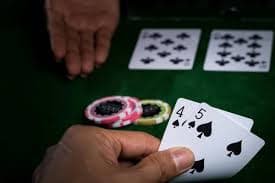
Once the app is installed and you've logged into your account, the full suite of features opens up. Here is a quick rundown of what you'll find and why each one matters for Pakistani players specifically.
The sports section of the K1 Game APK app is built with cricket at the front. During PSL season, you'll see all fixtures on the home screen with live odds updating in real time. You can bet on match winners, over totals, player performance, and ball-by-ball markets without leaving the app. The betslip sits in a persistent panel at the bottom, so adding selections never interrupts what you're looking at.
The game lobby includes slots from leading providers, live dealer tables with real croupiers, and instant-win games. Everything is optimised for mobile screens. Slot games load in under three seconds on 4G, and live casino streams maintain quality even when your connection dips slightly — the player adaptive streaming adjusts automatically.
From within the app, you can deposit using JazzCash, Easypaisa, Raast, bank transfer, or your debit/credit card. The deposit screen shows your current balance and pending bonuses in PKR at all times. Withdrawal requests for verified accounts typically process the same day, and you get a push notification when the funds are on their way.
The K1 Game APK app lets you customise push notifications so you only get alerts for the things you care about — upcoming PSL matches, bonus activations, or withdrawal confirmations. You can also set deposit limits and session reminders directly from the account settings screen, which is important for keeping your gaming habits in check.
A few things worth knowing before you get started with the K1 Game APK app on your device.
Only download the K1 Game APK file from your verified account area on the official website. Third-party APK sites carry risks including modified files. The official APK is scanned and verified before each release.
The app notifies you when a new version is available. Updates usually take under a minute to install and bring improvements to performance, new game additions, and security patches. Always keep the app current.
Typical sports betting and slots use roughly 20–40 MB per hour. Live casino streaming uses more — around 80–120 MB per hour. Enable low-data mode in app settings if you're on a limited mobile data plan.
Extended live betting sessions can drain your battery faster than usual. Reducing screen brightness and disabling background app refresh for other apps helps keep your session going longer.
Enable two-factor authentication from your account settings after installing the app. iOS users can also activate Face ID or Touch ID for faster, more secure logins without entering a password every time.
If you run into installation issues or app errors, live chat support is accessible directly from inside the K1 Game APK app. Response times are typically under five minutes during peak hours.
Common questions from Pakistani users about downloading and setting up K1 Game APK.